
Three-way matching
Pair the purchase order, delivery order and invoice line by line. Quantities come from what was received and prices from what was ordered.
Vajra
Connect document intake, validation, human review and your finance-system outcome. Reconcile what was ordered, received and billed, and keep the source, decision and downstream status together. Your cloud, your data, your privacy.
When manual finance stops scaling
Growing invoice volumes, multiple entities and more approval paths put pressure on the same finance team. Vajra connects the work around each document so people can focus on the exceptions that need judgement.
Capture invoice details once, then carry the record through checks, approval and posting.
Give reviewers a defined task, the supporting document and a visible workflow state.
Keep entity context, decisions and downstream results together for review and audit.
Expand the workflow around volume and complexity, with usage and cloud costs made explicit.
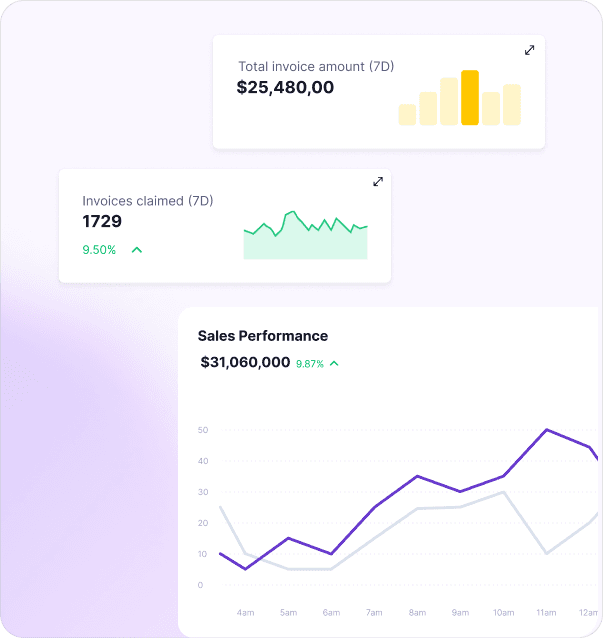
Follow the document
Is the supplier right? Do the lines reconcile? Was the order received? See how the workspace connects those checks to the posting outcome.
Inside Vajra
Bring invoices into one queue. See supplier, reference, amount and workflow state before opening the supporting record.
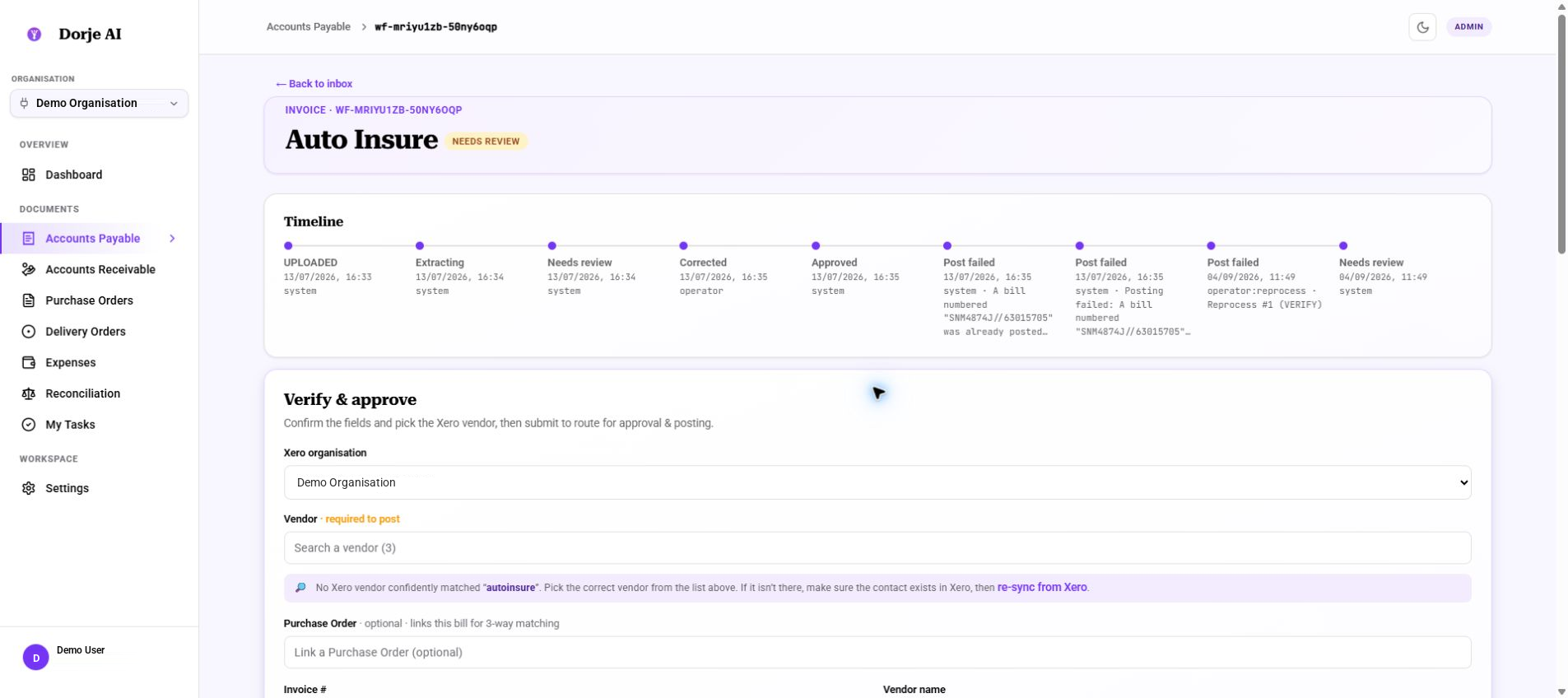
Supplier verification, approval controls and the workflow timeline in the current Vajra workspace.
The workflow in detail
Configure the route to match your entities, documents, approval rules and accounting system.
Receive documents through upload or a configured intake channel. Store the source in the customer deployment and create a workflow record.
Use Claude through Amazon Bedrock to classify the document and extract the header and line items for the relevant finance workflow.
Prepare the supplier, entity, amounts, tax and line coding needed by the connected accounting system.
Check required fields and business rules. Bring uncertain mappings and discrepancies to a person for review.
Apply the agreed approvers and routing rules. Keep the decision, supporting information and timeline together.
Send the approved transaction to the authorised finance connection and record the result, including failures or an existing-record match.
Reconciliation
Vajra matches each bill to its purchase order and delivery records, so overbilling and short deliveries are visible on every bill, and bills from the suppliers you choose can be held before they post.
Pair the purchase order, delivery order and invoice line by line. Quantities come from what was received and prices from what was ordered.
Follow cumulative ordered, received and billed quantities across multiple shipments and bills, with the outstanding balance on every line.
See each purchase order as Open, Partial, Matched or in Exception, then drill into the linked documents and the lines that differ.
Keep matching advisory, or hold bills from selected suppliers when they break tolerance. A person releases or rejects each one, with a recorded reason.
One finance workspace
Capture invoices, resolve exceptions, obtain approval and retain the posting response.
Connect what was ordered to what arrived and what was billed, and track every purchase order through to a match.
Bring customer invoices, approval, posting and payment visibility into the workspace.
Support receipt verification, approval and reimbursement processing.
Who it is for
Mid-market businesses with increasing document volume, multi-entity responsibilities and a need to keep control of their finance data.
Indicative fit from our mid-market focus, including businesses around US$5M–50M in annual revenue. These are conversation starters, not eligibility requirements.
Your accounting stack
Vajra supports connections to Xero, QuickBooks, NetSuite and SAP. Connect your existing accounting environment, or use Vajra as your finance workspace and ledger.
No. Vajra can serve as your finance workspace and ledger, or connect to the accounting platform you already use. Choose the model that fits your business.
Choose managed hosting, where Dorje AI hosts and runs the platform for you, or deploy Vajra into your own AWS account, where you own the full deployment and we manage its maintenance.
Choose a workflow and owner. Bring sample documents, expected volume, approval rules and connected systems so we can define a testable pilot.
The proposal separates successful workflow usage, AWS cloud cost, deployment, annual maintenance and any custom integrations. We confirm completion rules and service terms with you.
Deployment & privacy
Vajra is built on one principle: your finance data belongs to you. Choose how the platform is run, and keep control of where your documents live and who can reach them.
Run Vajra on AWS infrastructure hosted for you, or inside your own AWS account. Either way, the deployment is scoped to your organisation.
Source documents, workflow records and accounting outcomes remain yours, connected only to the finance systems you authorise.
Documents are processed with Claude through Amazon Bedrock, which does not use your inputs to train models. Access is limited to the roles you approve.
Two ways to deploy
Dorje AI hosts and manages the platform for you on AWS. The fastest way to start, with no cloud account to set up.
Vajra runs inside your own AWS account. You own the full deployment, and Dorje AI manages its maintenance.
Application services, document storage and workflow records run on AWS, with authorised connections to your finance systems in either deployment mode.
AWS KMS, IAM and application roles provide the basis for encryption and access controls. Key ownership and permissions are agreed in the deployment design.
Authentication uses Amazon Cognito. MFA, SSO requirements, finance roles and approval responsibilities are addressed during onboarding.
Vajra has passed the AWS Foundational Technical Review. Deployment planning also covers monitoring, recovery, maintenance and support responsibilities.
Commercial approach
Scope the invoices, entities and approval paths you need. Your proposal separates successful workflow usage, cloud costs, deployment, annual maintenance and custom integration work, so the operating model is clear before you start.
Discuss volume and deploymentFrequently asked questions
Vajra is an AI-powered finance platform that connects documents, approvals, reconciliation and accounting records. It brings accounts payable, accounts receivable and related finance workflows into one place, reducing manual handoffs and giving teams a clear view of their financial operations.
No. Vajra can serve as your finance workspace and ledger if you are starting without an accounting platform. If you already have a system in place, Vajra can connect to it and automate the work around it. Choose the approach that fits your business.
Yes. Vajra supports connectors to Xero, QuickBooks, NetSuite and SAP, bringing document processing, approvals and accounting workflows together across your finance environment. Your deployment aligns the connections, field mappings and permissions with the way your organisation operates.
Vajra matches each bill to its purchase order and delivery records, line by line. It tracks what has been ordered, received and billed across partial deliveries, flags discrepancies for review, and can hold bills from selected suppliers until a person releases or rejects them.
Yes. Vajra brings finance workflows across your entities into a shared operating workspace while preserving entity context and responsibility. Configure the approval paths and accounting connections around each business, with visibility for the teams overseeing the group.
Vajra brings the source document, extracted information and validation results together for review. Route work to the right approvers, resolve discrepancies and keep a record of the decision, so people can focus on the transactions that need their judgement.
Follow the transaction from intake through validation, approval and its accounting outcome. The workflow history keeps decisions and processing results together, making it easier to review what happened, investigate an exception and complete outstanding work.
Vajra is built on a simple principle: your cloud, your data, your privacy. Choose managed hosting, where Dorje AI hosts and manages the platform for you, or deploy into your own AWS account, where you own the full deployment and Dorje AI manages the maintenance. Either way, your finance data belongs to you, and encryption, identity and access controls are part of the deployment design.
Start with the finance workflow that will make the greatest difference to your team. We work through your documents, volumes, entities and approval needs, whether you are connecting an existing system or adopting Vajra as your ledger. Pricing separates workflow usage, AWS cloud costs, deployment, maintenance and any custom integration work.
Have a question about your setup? Talk to our team.
Behind the name
Vajra is the Sanskrit counterpart of the Tibetan word Dorje, associated with the diamond and thunderbolt. For us, it expresses a practical ambition: dependable operations, clear decisions and a durable record of how work gets done.
Make the next step concrete
We’ll agree the evidence your pilot needs to demonstrate before a wider rollout.